Metrobank helps you pave the way to growing your wealth—with market updates, expert insights, and a secure, convenient investment platform.
Everything in one place: View and manage your portfolio anytime, online.
Easy transactions: Monitor prices and buy or sell government securities in just a few steps.
Expert insights: Get financial advice, investment ideas, and analysis from our team of market experts by accessing exclusive content on Wealth Insights.
Follow these steps to get started:
Reach out to an Investment Specialist or visit a Metrobank branch to start investing.
Find the nearest Metrobank branch by copying this on your browser: https://www.metrobank.com.ph/branch-schedule-atm-cam-locator
Once initial investment transaction has been completed, you may now proceed in enrolling to sign up with Wealth Manager and Wealth Insights by typing: https://onlinebanking.metrobank.com.ph on your browser.
Click “Sign up” and follow the instructions.

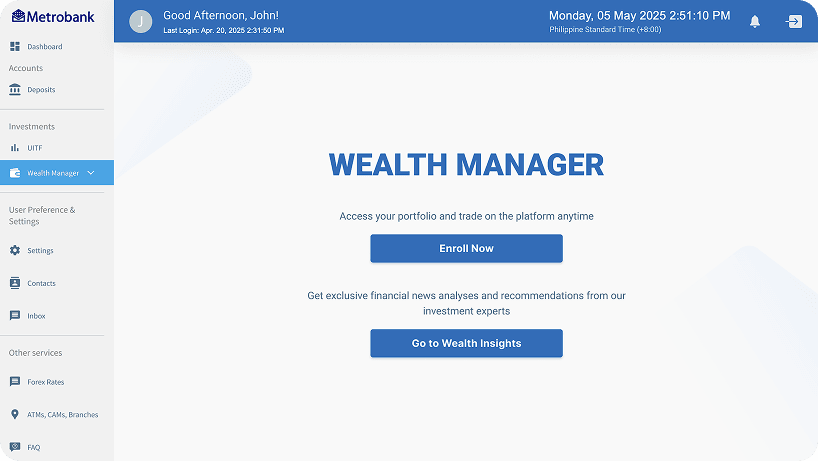
Once you have a Metrobank Online account, sign in and go to the “Wealth Manager” section and click “Enroll Now.”
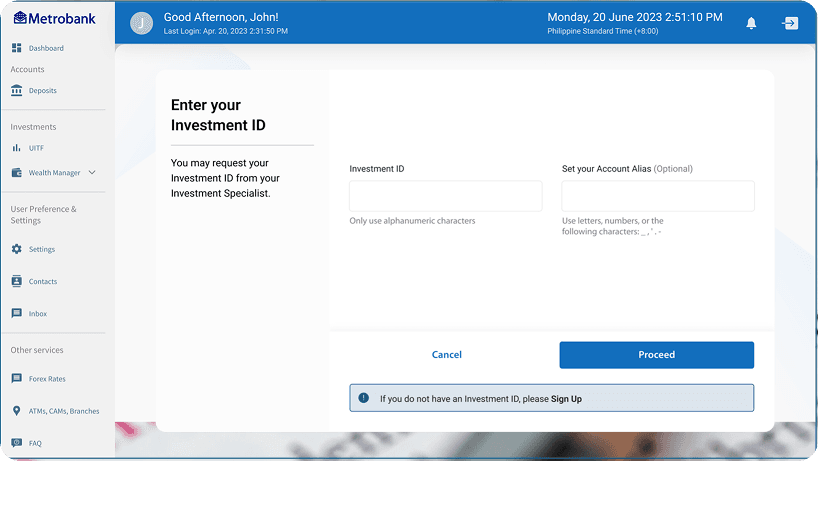
Enter your Investment ID and review the terms.
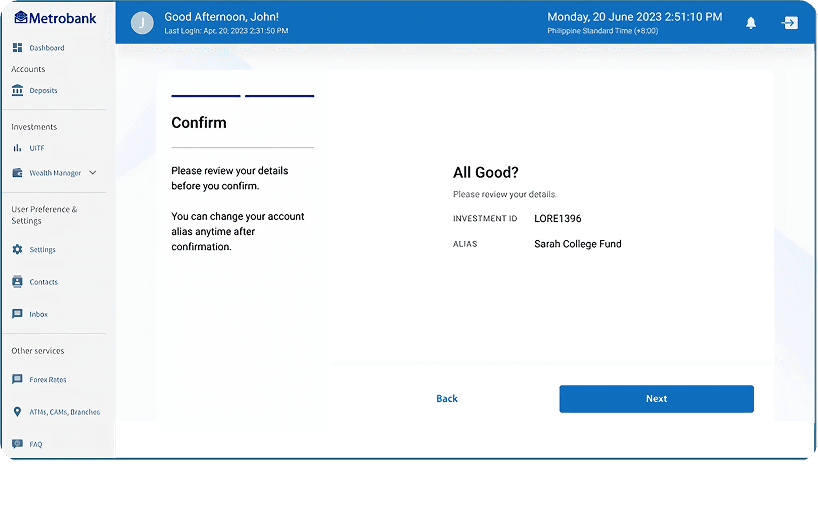
Review details and click “Next”
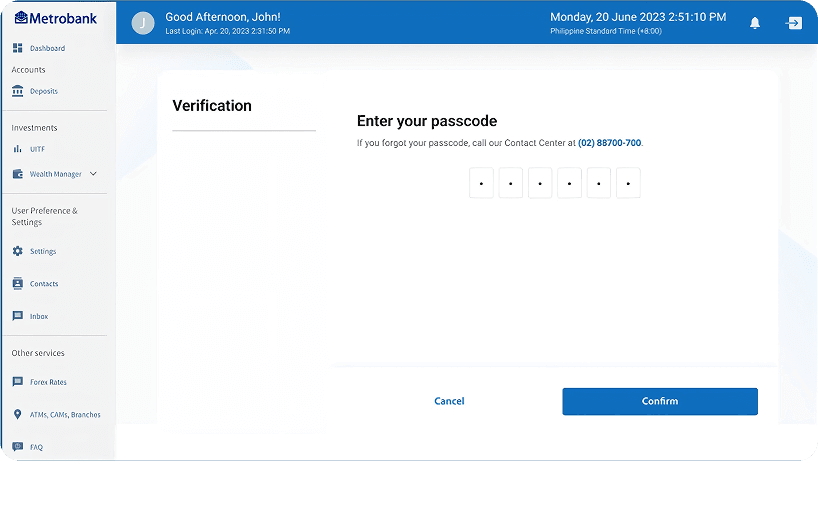
Confirm with your 6-digit passcode.